 DOCUMENTATION
Stations and hardware
AVOPSIM runs on three hardware configurations. Every tier runs the same digital twin, vehicles and missions; fidelity and cost scale with the hardware. Choose the configuration that matches the space, the budget and the fidelity each program needs. Mix configurations across one airport and add stations at any time.
All of it is off-the-shelf hardware, specified and supplied turn-key by the AVOPSIM team.
| Tier | Configuration | Typical use |
|---|---|---|
| 1 | Desk station | Route familiarization, theory support, repetition between instructor sessions |
| 2 | Driving station | Initial and recurrent driver training, ARFF, winter and GSE programs |
| 3 | Full vehicle cabin | Specialist programs and dedicated training facilities |
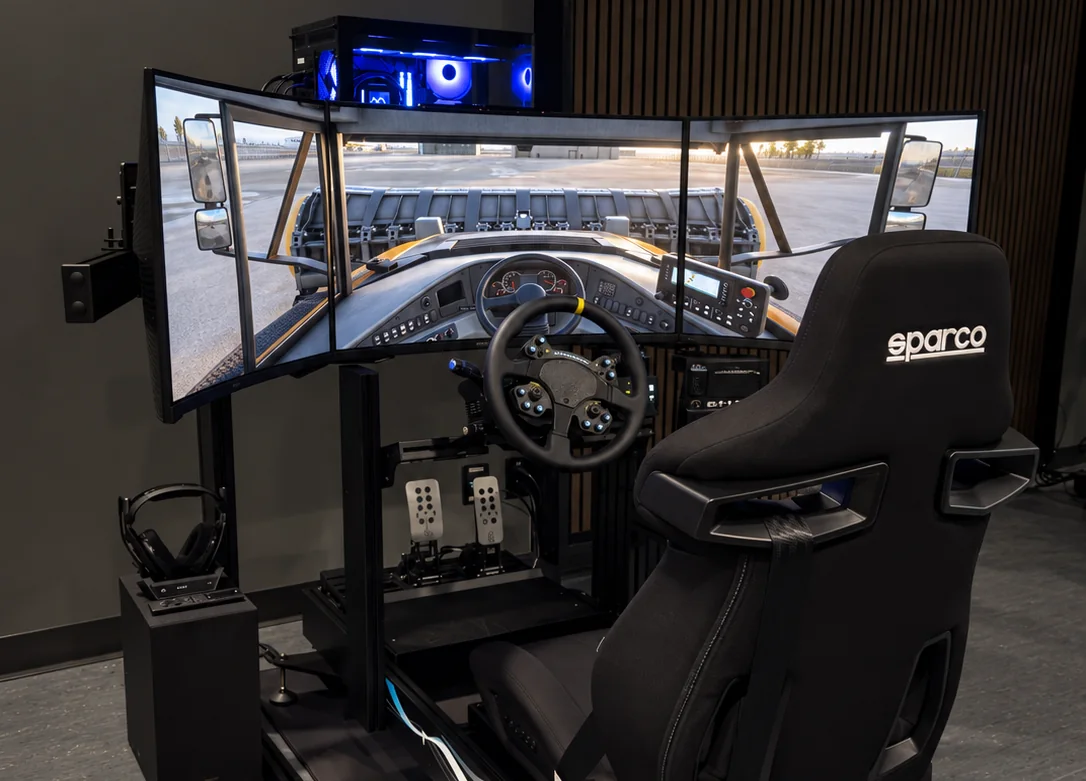
One software, every tier
The same software runs on every configuration, so a program can start on a laptop and move to a full cabin without changing anything but the station. Missions authored in the Mission Editor run unchanged on any tier, and every station reports to the same Examiner Console.
In this manual
- Station requirements: minimum and recommended PC specification.
- Software and licensing: Windows, MSFS 2024 and the AVOPSIM license.
- Controls and audio: wheels, pedals, controllers and headsets.